Codex CLI Runs a Hidden Background Daemon Now
OpenAI's Codex CLI 0.157.0 starts a persistent background daemon by default. Here is what it copies, updates and costs on your machine.
A thread hit the Hacker News front page this week with a title nobody in AI tooling expected to read about a coding agent: Codex CLI installs a persistent, self-updating background daemon by default. It drew more than 500 points and several hundred comments, and the top reply in the GitHub issue that anchors it reads like a malware report, because that is how the behavior looks from the outside.
If you pay for AI coding tools and run them on your own hardware, this is not a curiosity. It is a new line item in the cost of running an agent, and it changes who controls the version of the software you are actually billed for.
What Codex CLI 0.157.0 actually changed
Since version 0.157.0, opening an ordinary interactive codex session does four things beyond answering your prompt, according to the issue filed against the repository:
- It starts a persistent background daemon (
codex app-server --managed-daemon) in its own session with no terminal attached. It keeps running after every Codex window is closed, reparented to PID 1, until you stop it or reboot. - It copies the entire platform package, roughly 374 MB including the runtime, the shell and the search binary, into
~/.codex/packages/app-server-daemon/releases/<version>/, byte identical to what your package manager just installed, and runs the daemon from that copy. - It launches a detached updater that checks for new releases five minutes after start and then hourly, downloads them and restarts the backend. That restart has a 60 second drain budget and can kill active turns.
- It pins the environment variables of whichever session first started it, so proxy settings and working directories from that first launch leak into every later one.
The reporter’s own summary is the cleanest framing available: a shared, self-updating daemon makes sense for a desktop app or remote control, but for a CLI the least surprising default is that the backend lives and dies with the window, runs the binary you installed, and does not patch itself in the background.
The published release note gave the change one sentence, describing “automatic background-server startup for eligible interactive sessions,” without naming the persistent process, the managed package copy, or the hourly updater.
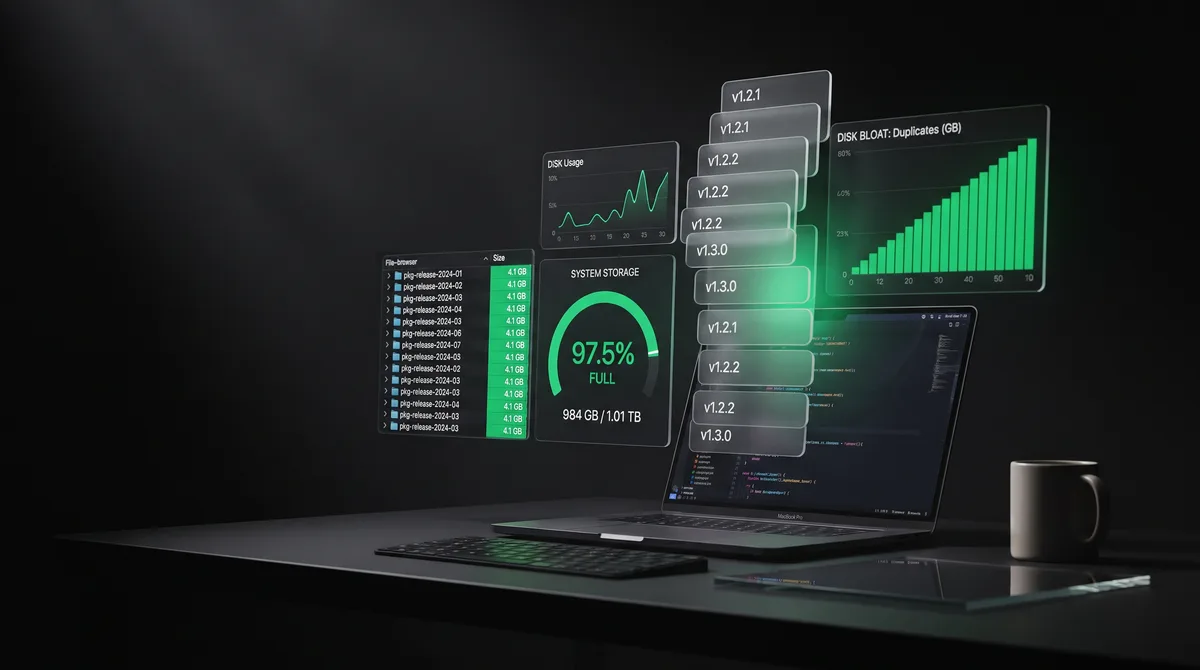
The disk math is the part that bites
One commenter reported the version copies had consumed around 12 gigabytes on their system. The math from the issue is easy to reconstruct. Each release copies roughly 374 MB. The updater re-checks every hour and pulls new builds, and Codex ships often. If the CLI ships even twice a week and old release directories are not pruned, a single heavy user’s home directory accumulates releases fast, and a CI machine or a shared laptop multiplies it.
That is not a quota inside your subscription. It is your own hardware paying for the vendor’s update strategy. On a 256 GB laptop where Codex already shares space with node_modules across a dozen repositories, model caches and Docker images, a background process duplicating a 374 MB package every few days is a real constraint.
The failure mode is also worse than slow. When the daemon cannot start, Codex misbehaves in ways that look like a broken install. One issue documents the Arch Linux package no longer launching Codex unless a flag disables the daemon. Because the daemon runs from its own copy rather than your package managed binary, an npm update on the CLI leaves the running backend on the old version while the front end reports the new one.
Why an always-on agent backend changes your bill
The daemon itself is a process that stays running, not a session that sends prompts on its own: the issue documents a backend that outlives the window, not tokens spent while you are away. The cost it adds to your bill comes from the updater.
The hourly updater restarts the backend with a 60 second drain budget, and that restart can terminate active turns. A killed turn is not free: the tokens already spent on that reasoning chain are billed, and the work has to be redone from the start. For a heavy user running long agent tasks, an auto-update that fires mid-task is a double charge for one unit of output. That is the same class of waste as a rate limit killing a long session, just caused by your own tooling instead of the provider.
How to check and turn it off
The opt-out exists, it is just not in the official configuration reference. Two commands from the issue:
codex features disable daemon_auto_start
codex app-server daemon stop
Notes from the people who tested it: the feature sits behind a flag, daemon_auto_start = false under a [features] block in ~/.codex/config.toml. Stopping the daemon does not necessarily stop the updater: at least one person found the pid-update-loop process still alive 70 seconds after a stop command and had to kill it manually. Others run Codex inside a hardened container or a separate machine and simply never let the daemon touch the host.
If you want a defensible position before the flag is removed, treat the daemon like any other background service. Inventory what is listening and running after you close your tools, verify that the copy on disk matches the version you think you installed, and pin the version your package manager manages rather than letting a background process self-update underneath you.
The cross-provider pattern
Codex is not alone in pushing agent infrastructure onto user machines, but the defaults differ, and for a heavy user the defaults are the whole story.
Claude Code runs tasks in your terminal and exits with it. The Claude Code versus Codex hidden cost comparison keeps coming back to the same axis: what stays resident after the session ends. Google’s Gemini CLI and the various open source harnesses generally follow the foreground model, process ends when you close the terminal. The Codex daemon is the outlier in treating the local machine as a stateful backend that should outlive your attention.
For anyone running agents across providers, that is a decision variable worth tracking alongside price per million tokens. Two tools can have identical token pricing and very different total cost once one of them runs a self-updating agent server on your laptop and one does not.
What to do before your next upgrade
- Check what is resident. After closing Codex, look for the app-server process and the updater loop. On Linux and macOS:
ps aux | grep -i codex. - Audit the copy. Compare
~/.codex/packages/app-server-daemon/releases/against the version your package manager reports. If they disagree, your backend is not the build you installed. - Decide on auto-update deliberately. An hourly updater that can kill active turns is a trade-off, not a feature. If you run long agent tasks, disabling it and updating on your schedule is cheaper.
- Remember the fast path to a full rollback. If your team is evaluating Codex seats, a persistent self-updating process with full read and write access to the host filesystem is a security and compliance question, not only a disk question.
- Track cost per shipped task, not per seat, on any tool that can bill in the background. The daemon does not appear on any invoice, but a turn killed by an update and run again does.
The headline is not that a background daemon exists. It is that the default changed quietly, the documentation barely mentions it, and a coding agent now leaves a process running after you close the window. Check your machine before your next upgrade: what is still running, how many 374 MB copies sit in your home directory, and whether an hourly update can cut a turn you already paid for.
Now available
Stop guessing your AI limits
The Mac app and web dashboard watch your Claude, ChatGPT, Gemini and more, and warn you before quotas hit.